The world seed is only read when a world is first generated. Changing it on an existing world has no effect. To apply a new seed you must delete the existing world folders, which permanently erases all builds and progress in those worlds.
Log In to the Game Panel ↗

Select Your Server

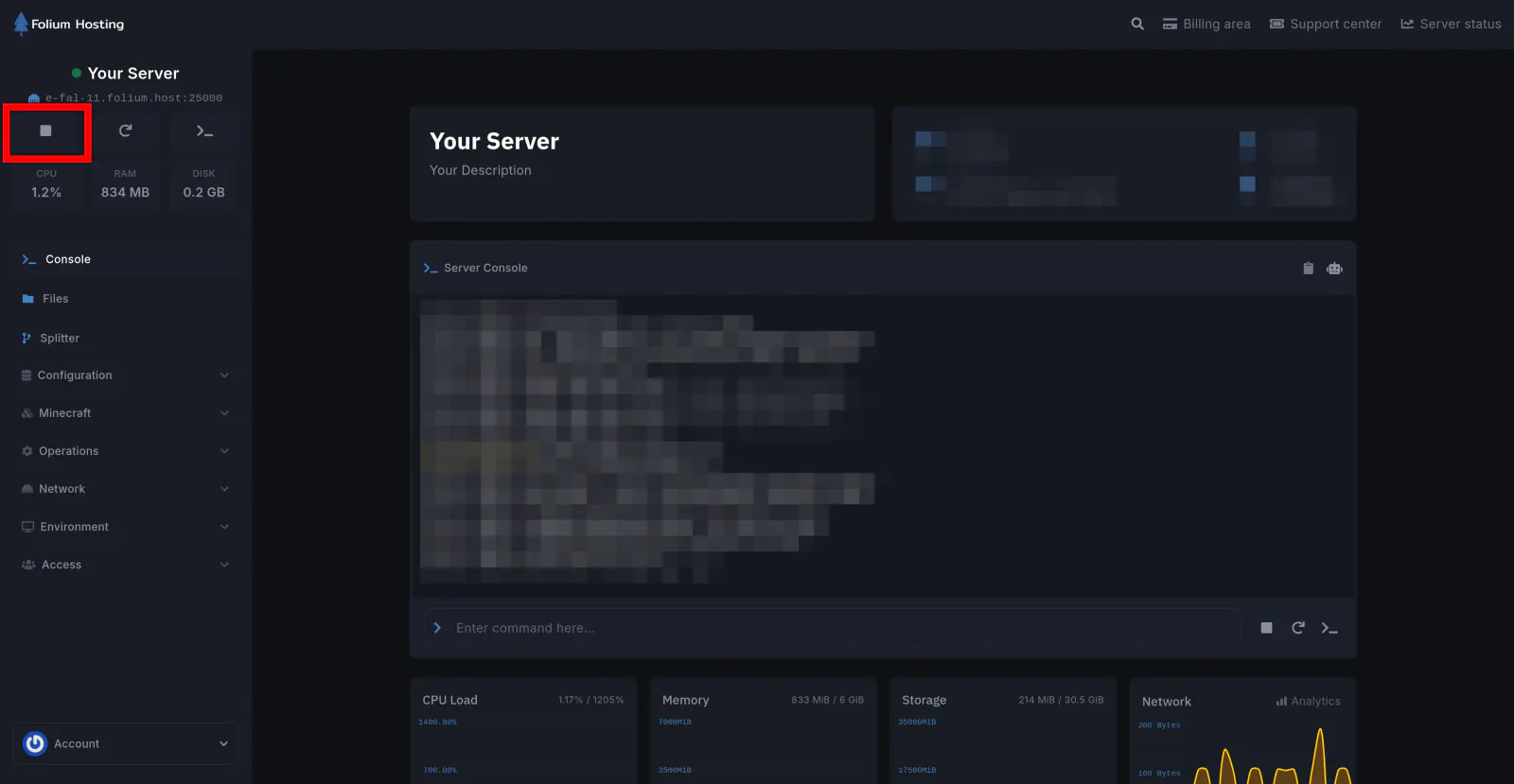
Stop the Server
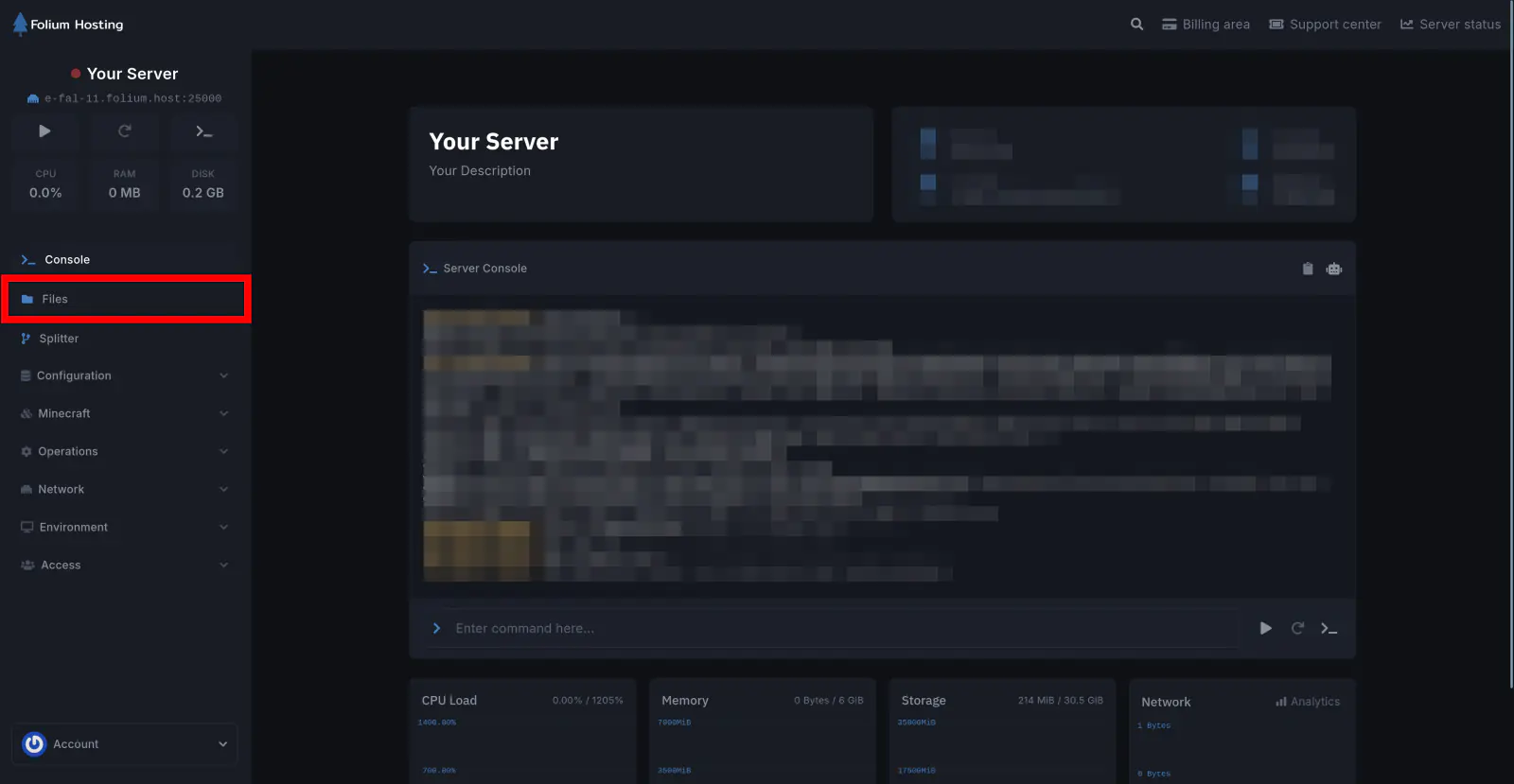
Click on the Files tab
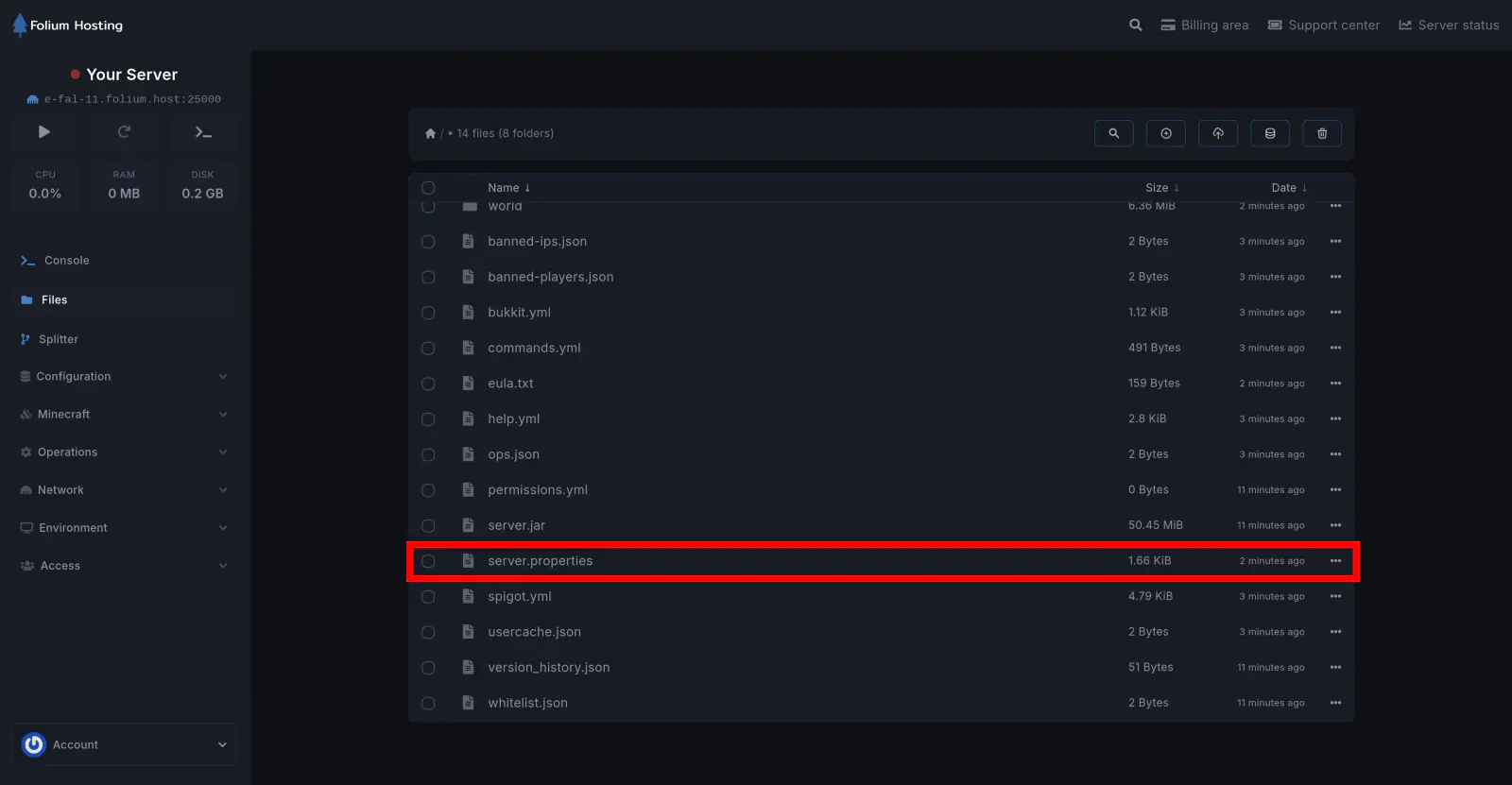
Open the server.properties file
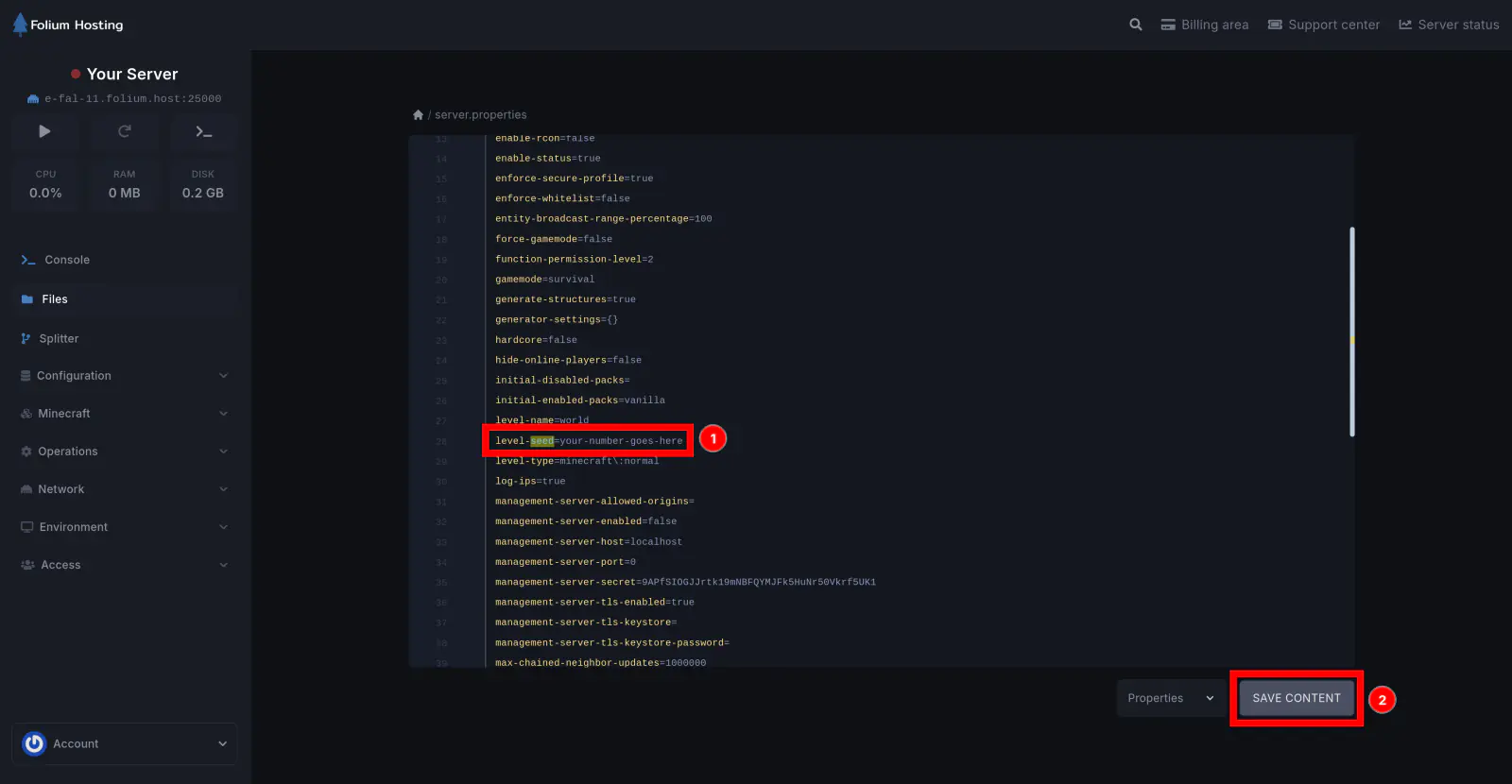
Set the Level Seed Value
Scroll down until you find level-seed=[seed]. Change [seed] to your preferred value and click Save Content.
Delete the Existing World Folders
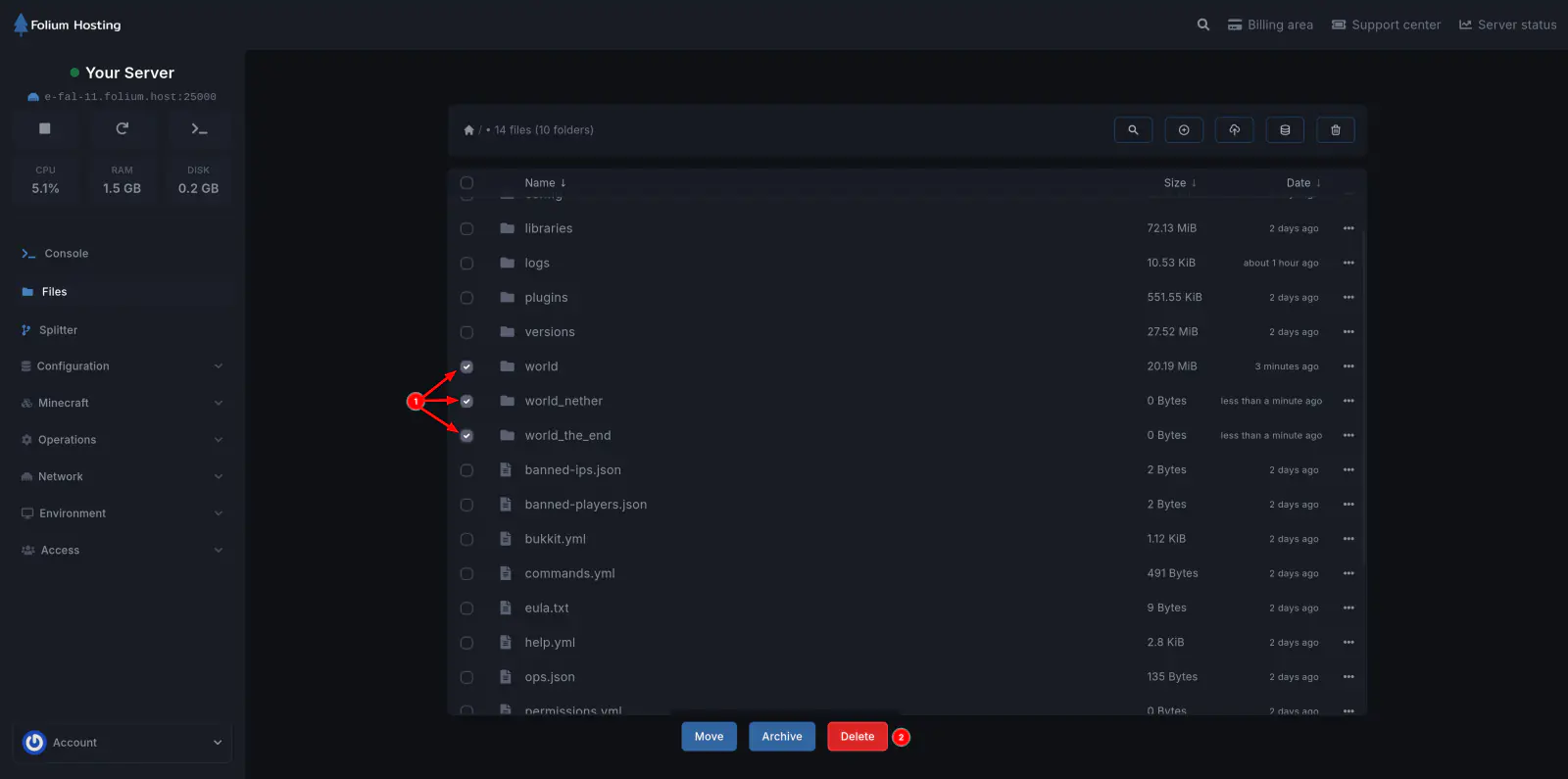
Go back to the Files tab, select world, world_the_nether, and world_the_end, then click Delete at the bottom.
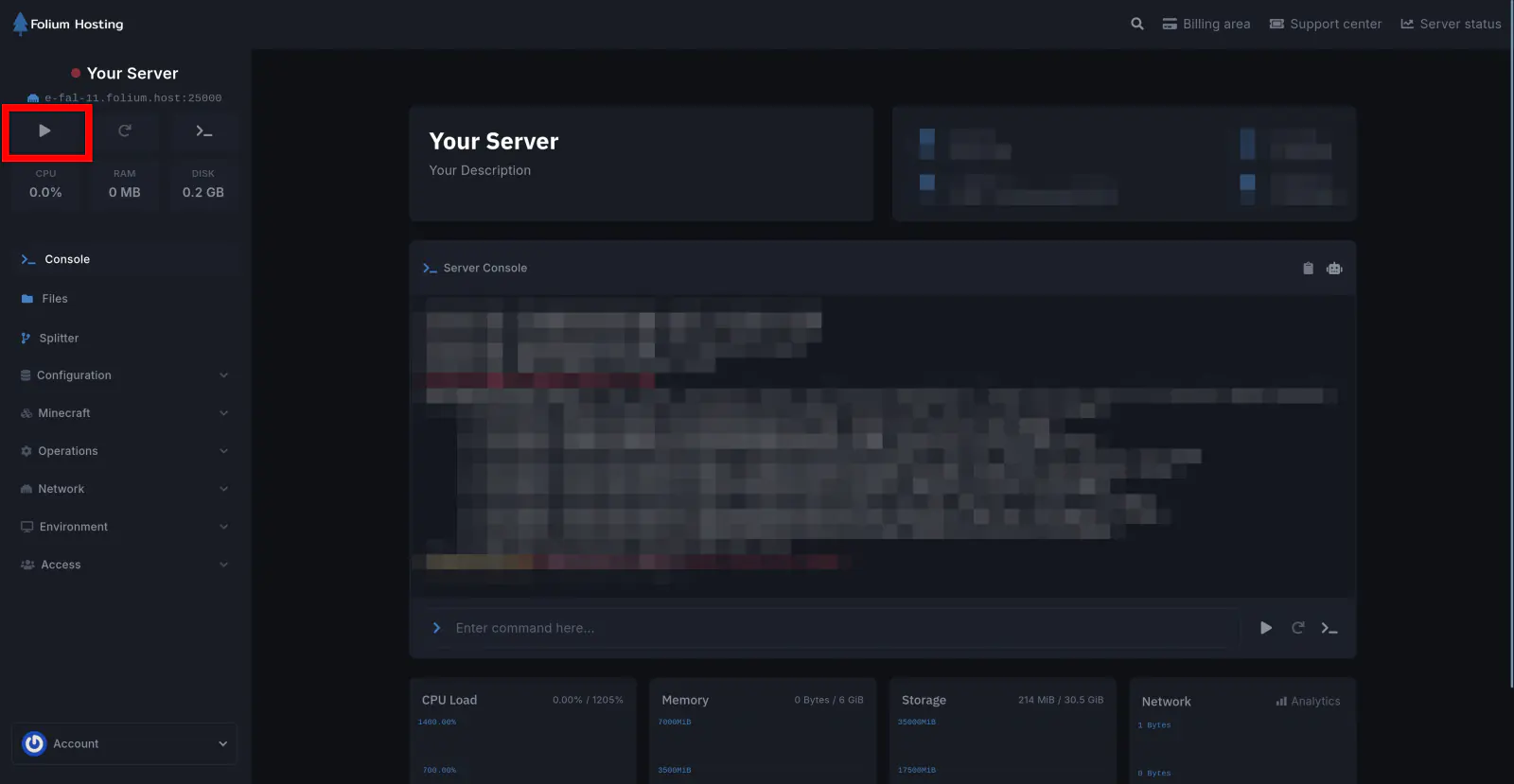
Start the Server
Your server now has a new world with your custom seed!