The Ports page lets you create and manage port allocations for your server. Additional ports are needed for plugins, query ports, RCON, and other services that require their own network port.


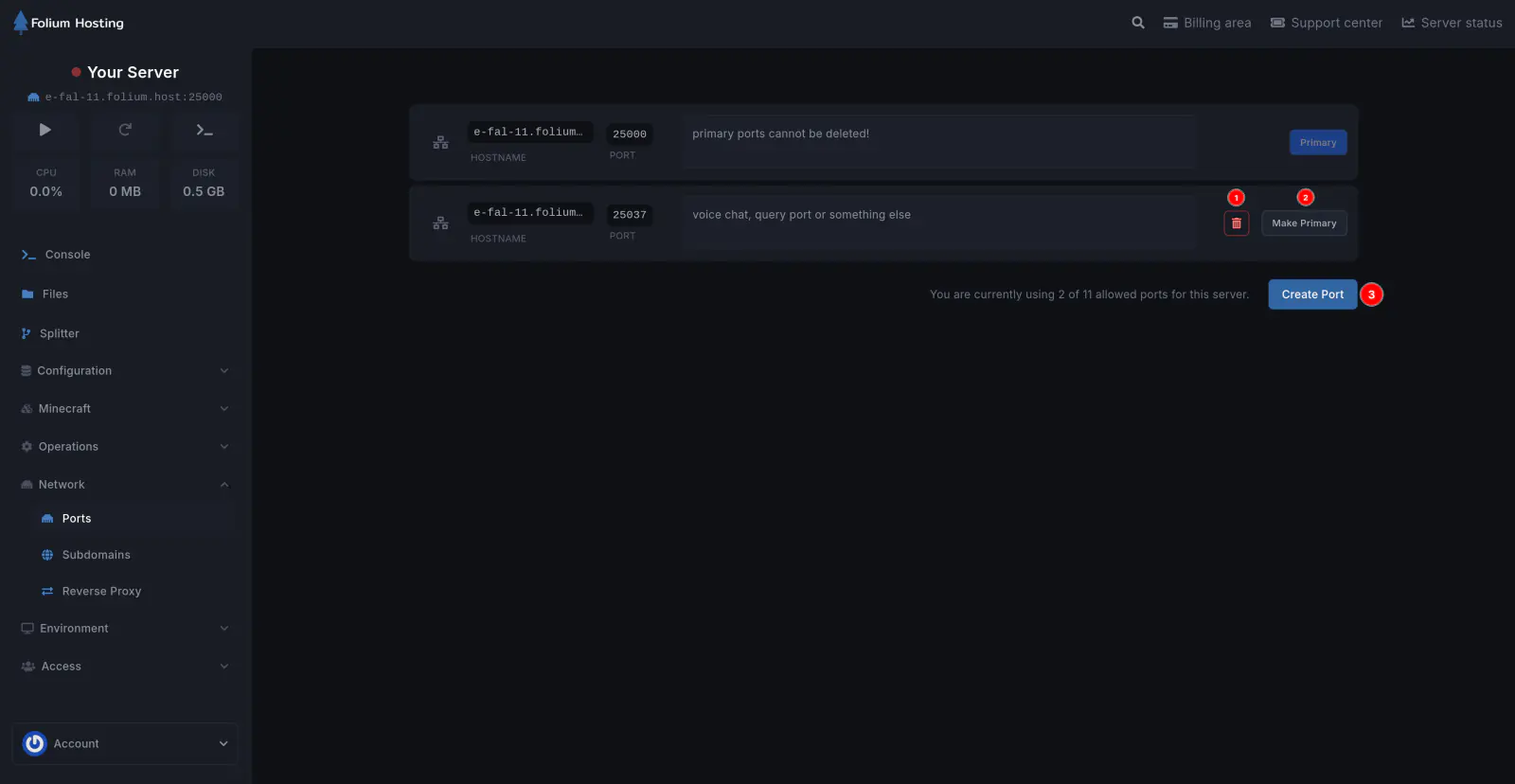
On this page, you can:
Create a New Allocation
Click Create Allocation to generate a new port for your server. Use additional ports for plugins like Dynmap, voice chat, or for query/RCON connections.
Add a Note to a Port
Label your ports to easily distinguish them (e.g., “Dynmap”, “Voice Chat”, “Query”).
Change Primary Port
The primary port is used for your main game connection. Click Make Primary on any allocation to switch which port is the primary one.
Delete a Port
Remove unused allocations by clicking the delete button next to the port.
After creating a new port, you need to configure it in the Startup tab for the server to use it.
If any issues arise, contact us ↗.