The Reverse Proxy feature lets you access web services running on your server (such as Dynmap, BlueMap, or other plugin websites) through a clean domain name without needing to specify a port. This requires a valid domain name you own.


Create a Reverse Proxy
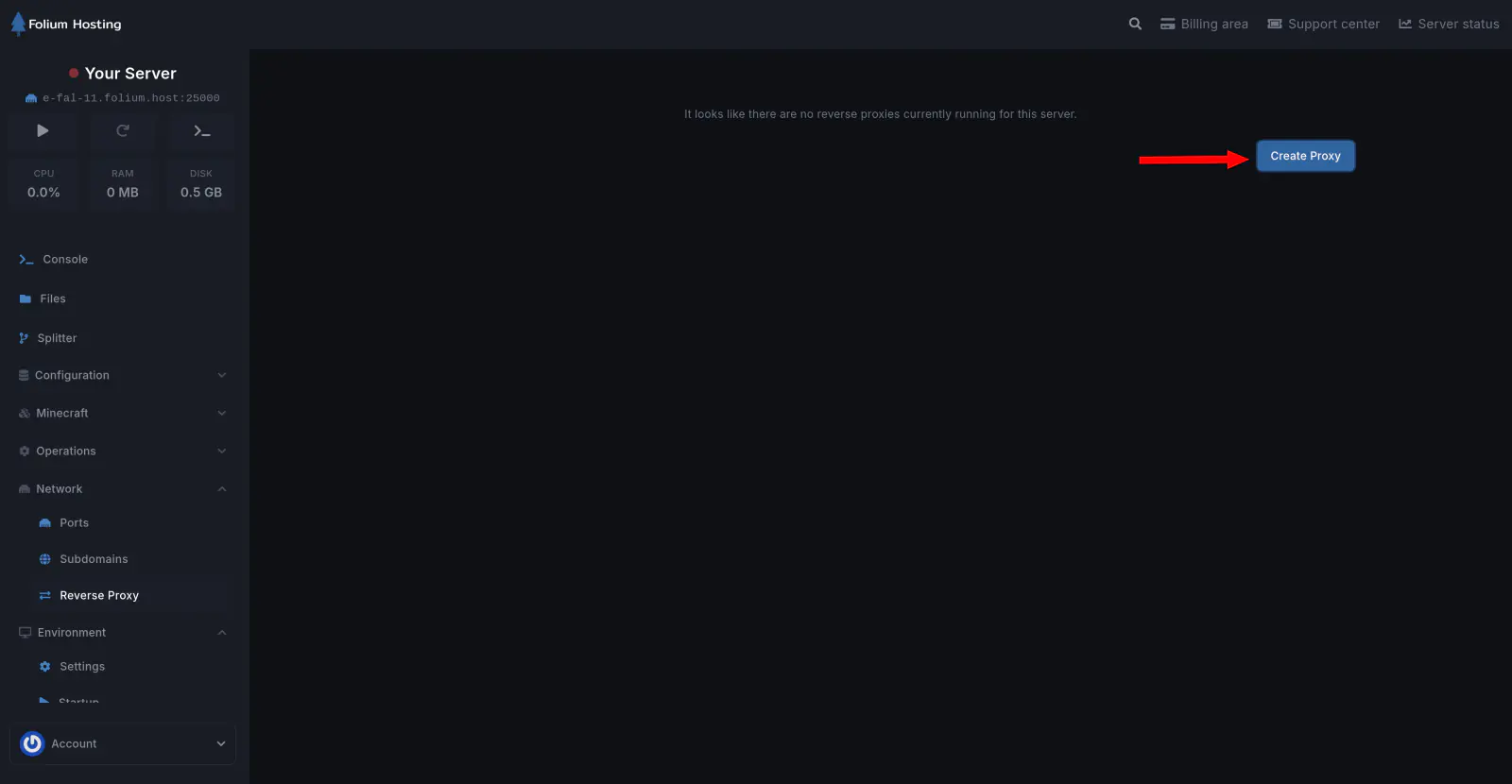
Click on the “Create Proxy” button
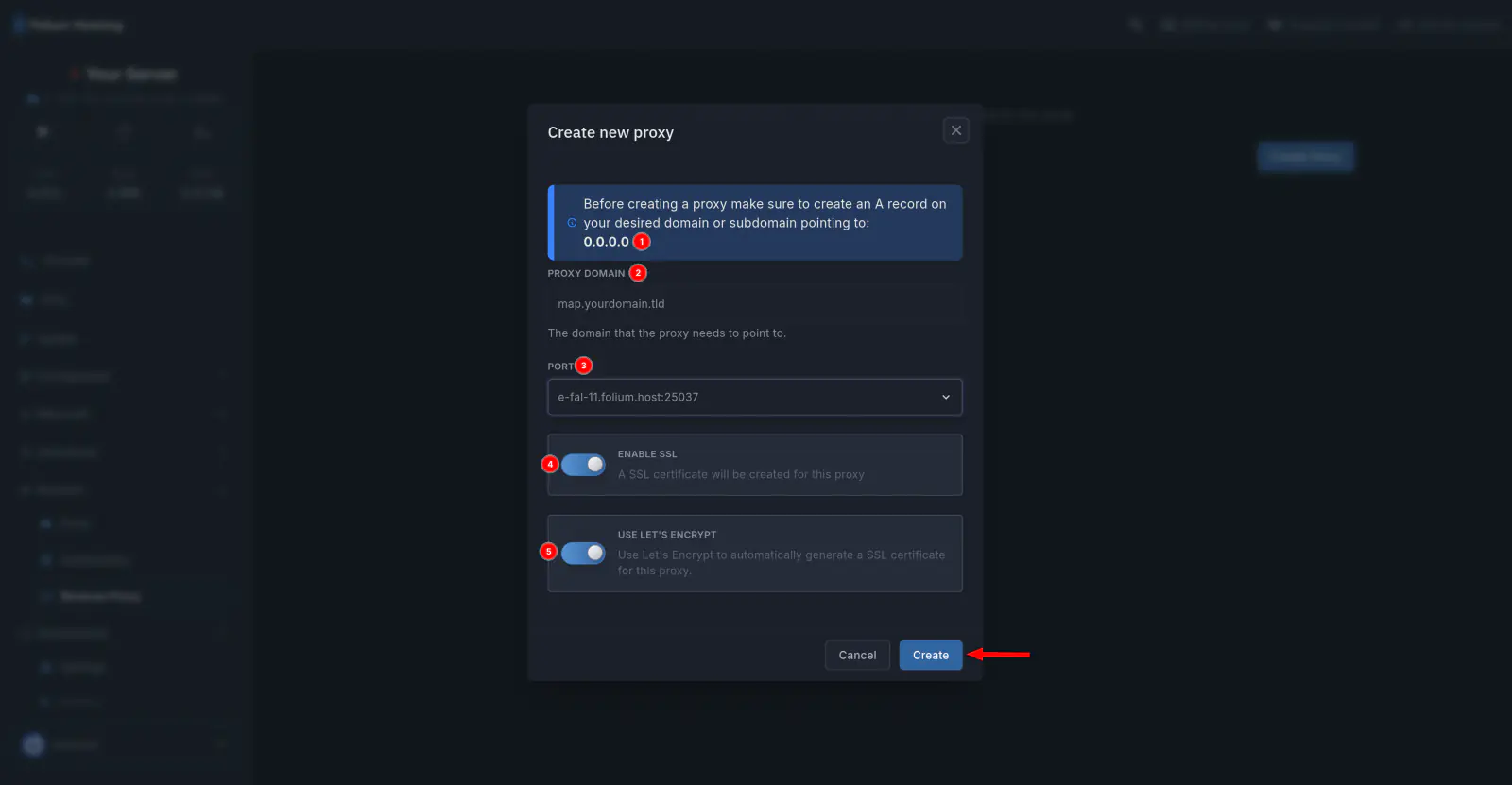
(1) Before creating a reverse proxy, you will need make an A Record on the domain you wish to use it for.
(2) Enter your domain name and the port that your web service is running on.
(3) Select the port you wish the reverse proxy to point towards (ex. your bluemap port)
(4) [RECOMMENDED] Use SSL Encryption, you can skip that step if you wish to terminate SSL somewhere else, such as: Cloudflare.
(5) We recommend using Let’s Encrypt for a managed certificate.
Click on “Create” and wait to finalize setup.
Reverse Proxies only support HTTP/HTTPS web services; not the game server itself or proxy configurations like Velocity. Your domain must be pointed correctly for this to work.
If any issues arise, contact us ↗.